Transfer a Sign Up
If you would like for someone else to manage a sign up that you created, you can transfer that sign up to another account. The recipient account will become the new owner of the sign up and receive notifications when participants sign up.
Single Sign Up:
- Click the Created tab from your account Sign Ups page to display your sign ups.
- To the right of the sign up title click the ellipsis icon (…).
- Select Transfer from the dropdown menu.
- Enter the email address of the person you'd like to transfer the sign up to — they must have a SignUpGenius account.
Multiple Sign Ups:
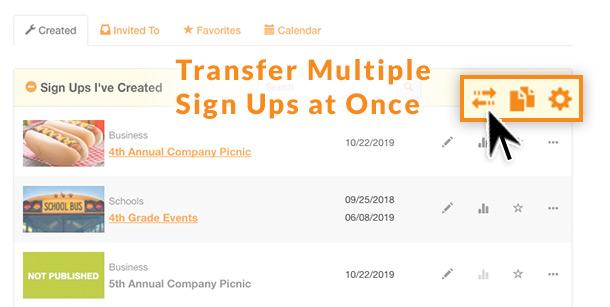
If you have multiple sign ups to transfer to the same account, follow these steps:
- Click the transfer icon that's located in the header above your sign up list (to the right of the search bar). It looks like two arrows passing each other.
- Select the sign ups you would like to transfer and enter the email address of the person you want to receive the sign ups.
Keep in mind that once the sign up is transferred, the recipient will become the sign up creator (or admin). All email notifications will go to the new email address associated with the sign up, and the sign up will no longer be in your account.
Posted by SignUpGenius